How to Transfer Files Wirelessly on Android
Transferring files between Android, PC, Mac, or iOS has never been easier. No cables, no clouds, just local network speed.
1
Connect to Local Network
Ensure both your Android device and the receiving device (laptop, tablet, iPhone) are connected to the exact same WiFi network. Alternatively, activate a mobile hotspot.
2
Start the Server
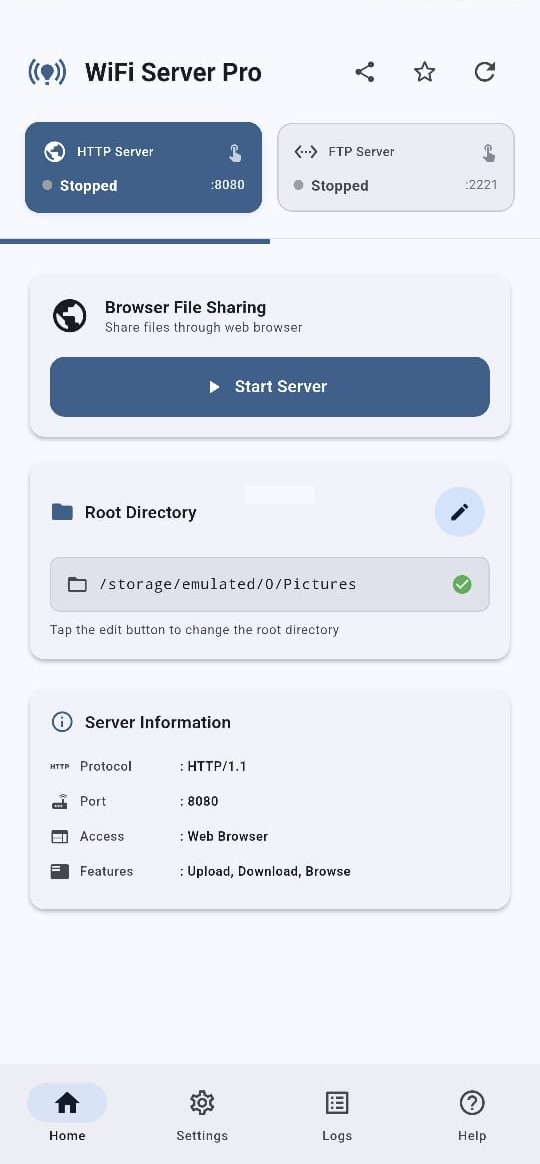
Open WiFi Server Pro and tap "Start Server". The app immediately provisions a secure local HTTP or FTP server directly on your device hardware.
3
Access Your Files
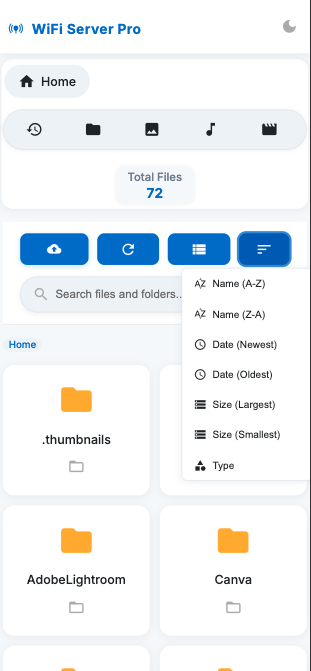
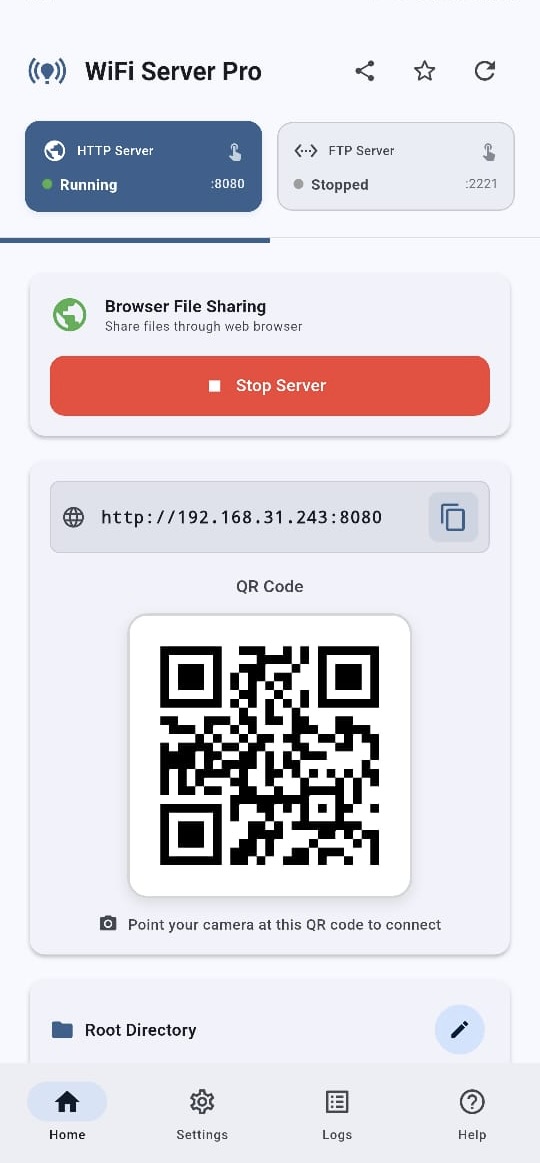
Simply scan the provided QR code, or type the generated IP address (e.g., http://192.168.x.x:8080) into any web browser to instantly access, upload, and download your files.